Add Google Ads to your site through AdSense
To set up Google Ads on your site, you must have created enough contend and material that reaches and exceeds the adsense expectation, otherwise they will keep saying you are inelligible due to low content. Now if you site has enough content, and there are no Ads, and you have signed up for an Adsense account, follow these steps
1. Sign into blogger, Go to Earnings and Click to Add Adsense to your blog
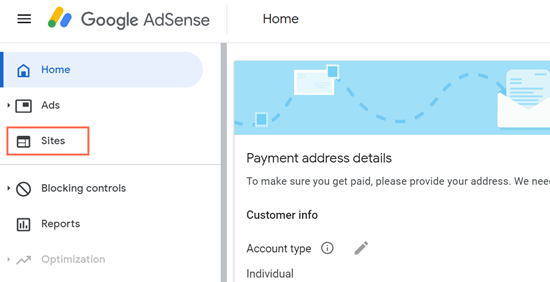
2. Click on "Sites" and select the site that has issues or not ready for Adsense because of Code. You will see a message which reads "We couldn’t find the code on your site. This is because the code is either missing or incomplete, or because the URL of your site is incorrect."
3. Copy the Given Code. The Code will look like this <script async scr="https://pagead2 ..... ></script>
4. On your Blogger HTML add this code between the <head> and </head> section
5. Check the box " I've pasted the code" That is the message you will see below
6. click request review and set up ads
7. Click Apply to site after setting it up
It might take hours or days to start appearing ....